

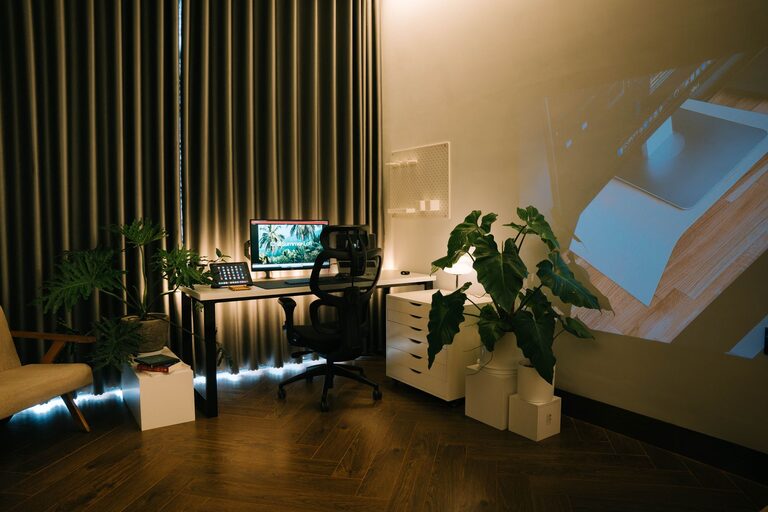
Creating a relaxing home workspace is essential for maintaining focus, reducing stress, and improving productivity. Whether you work remotely full-time or occasionally check emails from home, a thoughtfully designed workspace can make a big difference in your day. This guide will walk you through simple and effective ways to transform your home office into a calm, inviting, and efficient area.
Why a Relaxing Workspace Matters
Your environment impacts your mood and efficiency. A cluttered, noisy, or uninspiring space can cause distractions and fatigue. In contrast, a calming workspace promotes concentration and creativity, helping you feel more at ease during work hours.
Choosing the Right Location
Find a Quiet Spot
Choose a space with minimal interruptions. If possible, select a room with a door that you can close to reduce noise. Avoid high-traffic areas like the kitchen or living room where distractions are common.
Maximize Natural Light
Natural light has mood-boosting effects and reduces eye strain. Position your desk near a window, but avoid direct glare on your screen. If natural light is limited, invest in soft, adjustable lighting that mimics daylight.
Setting Up Your Desk
Invest in Comfortable Furniture
Comfort is key for a relaxing workspace. Choose a chair with good lumbar support and adjustable height. Your desk should allow enough space for your computer, writing materials, and any tools you need.
Organize Your Essentials
Keep frequently used items within reach to avoid unnecessary movement. Use organizers like trays, drawers, or desk caddies to store supplies neatly. A tidy desk reduces visual clutter and helps keep your mind clear.
Add Calming Elements
Use Soothing Colours
Opt for soft, neutral colours or pastel shades for your walls and decor. Colours like light blue, green, or beige have calming effects and can help reduce stress.
Incorporate Plants
Houseplants improve air quality and bring a touch of nature indoors. Plants like spider plants, succulents, or peace lilies are easy to care for and add life to your workspace.
Personal Touches
Include items that make you feel happy and motivated, such as photos, artwork, or inspirational quotes. Just be mindful not to overcrowd the space.
Minimise Distractions
Manage Technology Wisely
Turn off non-essential notifications on your phone and computer. Use apps or settings that block distracting websites during work hours.
Use Noise Control
If ambient noise is unavoidable, consider noise-cancelling headphones or soft background music. White noise machines or calming nature sounds can also help maintain focus.
Prioritise Ergonomics
Proper Screen Height and Distance
Position your monitor at eye level and about an arm’s length away. This prevents neck strain and reduces eye fatigue.
Keyboard and Mouse Placement
Keep your keyboard and mouse close enough so that your arms remain relaxed and elbows bent at about 90 degrees.
Take Regular Breaks
Stand up, stretch, or walk around every 30 to 60 minutes. Breaks are essential to prevent physical stiffness and mental burnout.
Keep Your Space Clean
Develop a simple routine to tidy your workspace daily or weekly. Remove unnecessary papers and wipe surfaces to keep the area fresh and inviting.
Enhance Air Quality
If your workspace feels stuffy, open a window regularly or use an air purifier. Fresh air can boost alertness and make the environment more pleasant.
Final Thoughts
Designing a relaxing home workspace doesn’t require a big budget or renovation. Small changes like improving lighting, adding plants, and organising your desk can create a peaceful and productive atmosphere. Remember that your workspace should support your work habits while keeping you comfortable and calm. Try these tips to make your home office a place where focus and relaxation go hand in hand.